Prep lists that come from the job, not from a template
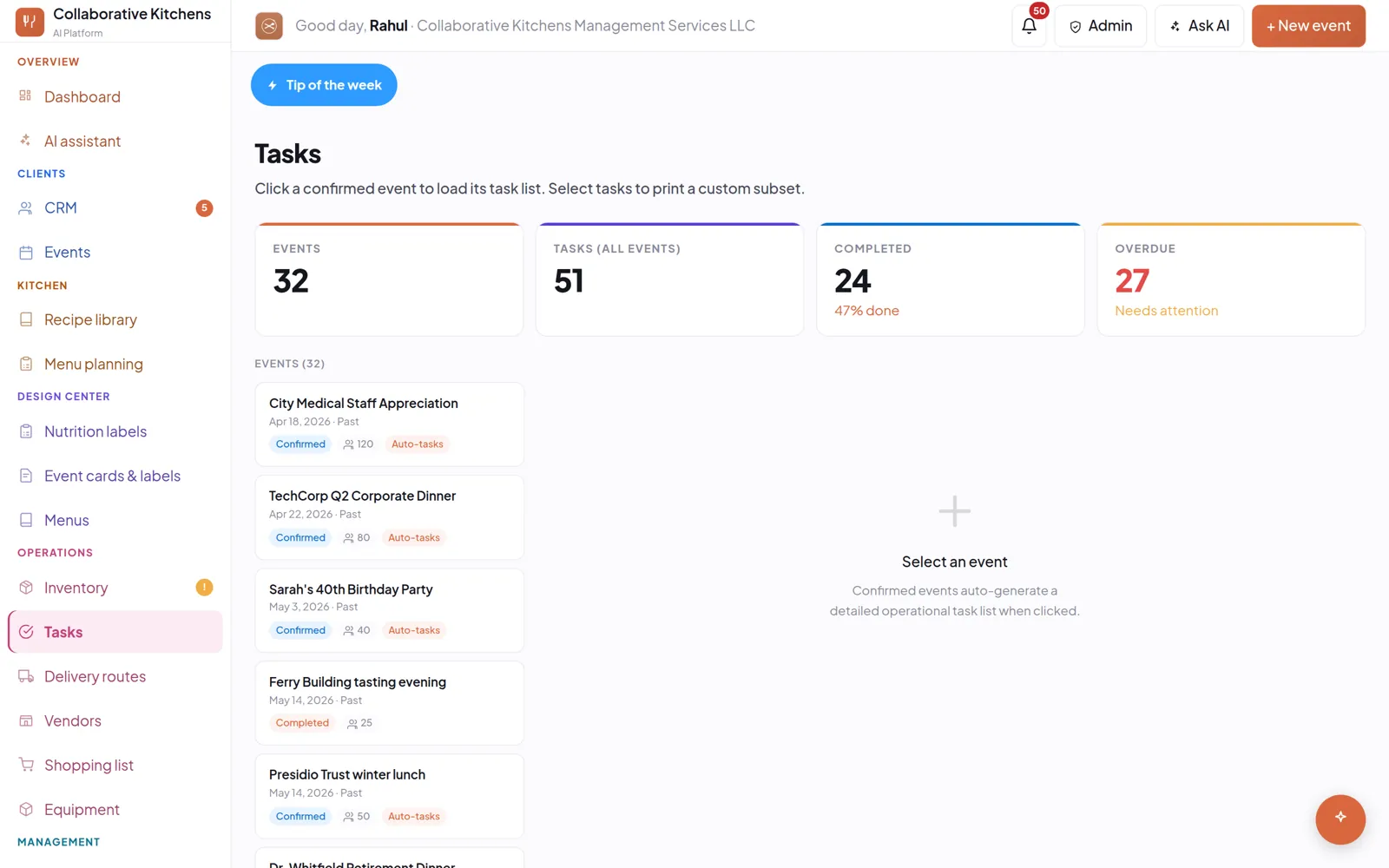
Confirming an event raises the tasks that event needs — prep, delivery, setup — with due dates that work backwards from service rather than forwards from today.
Why a generic checklist does not survive contact
Every catering checklist template assumes the same event twice. A 40-cover drop-off and a 300-cover plated gala share almost no tasks, and a list that covers both covers neither.
Tasks that come from the actual menu and the actual service time are the only ones anybody ticks.
What you get
- Tasks raised from the event, when you confirm it.
- Due dates worked back from service, so the thing that needs two days of marinating is flagged two days out.
- Priorities, so the overdue and the urgent sit at the top rather than in date order.
- Assignment to staff, so a task has a name on it.
Where it shows up
On the dashboard, as what needs you now. In the daily brief on your phone. And in the week view alongside the events that raised them, because a task without its event is a line of text you have to decode.
Questions people ask
Are the tasks generated or do I write them?
Generated from the event and its menu when you confirm it. You can add, edit and assign your own on top.
Can I assign tasks to staff?
Yes. A task can carry an owner, and overdue tasks surface on the dashboard and in the daily brief.
Ten minutes gets a real event in — your menu, your prices, a quote you could send. The 14-day trial takes no credit card.